
Call Routing • 3 min read
How to Ring the Twilanswer App on a Call Route
Use the Twilanswer App call action to ring a teammate's Twilanswer mobile app instead of a phone number, with Twilanswer voicemail when no one answers.
Twilanswer App is a call action you can choose when you configure a call route. Instead of forwarding the call to a phone number, it rings a teammate's Twilanswer mobile app. Calls arrive over the internet, so the teammate does not need a forwarding number, and their personal number and personal voicemail stay out of it.
You can use Twilanswer App as a route's main action, as its after-hours action, or as an option in a call menu.
Private beta: The Twilanswer mobile app is in private beta. To request an invite, email hello@twilanswer.com.
Before you start
The teammate you want to ring must be signed in to the Twilanswer mobile app (iOS or Android) and must allow microphone and notification access when the app asks. Signing in registers their phone as a device on their Twilanswer user.
If a teammate has the app on more than one phone, all of their devices ring at the same time, and whichever device answers first takes the call.
You also need at least one recording to use as the voicemail greeting. See How to Create a Live Recording in Twilanswer or How to Upload a Recording in Twilanswer. You can also add one from the action itself.
Set up Twilanswer App on a call route
- Open the route and, under call action, choose Twilanswer App.
- Under User, choose whose app should ring.
- Under Voicemail Recording, choose the greeting callers hear if no one answers.
- Save the route.
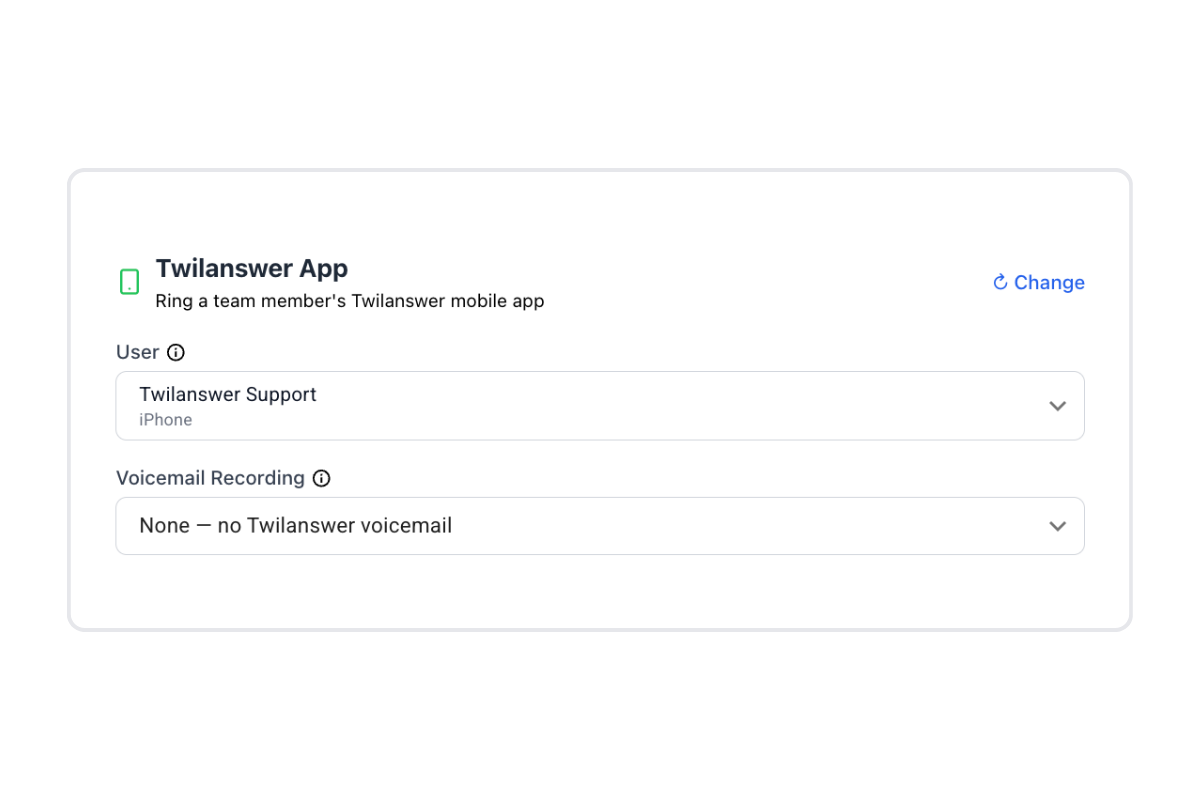
Who appears in the User list
The User list shows everyone in your organization. Teammates who have not registered the app are greyed out and marked No Twilanswer app registered, and you cannot select them. If no one in your organization has the app yet, the action shows a warning above the list.
What happens when a call comes in
- Twilanswer rings the selected teammate's app on every registered device for 30 seconds.
- If the caller's number matches one of your contacts, the app shows the contact's name.
- If no one answers within 30 seconds, the caller hears your voicemail recording and can leave a message. The voicemail is stored in Twilanswer and delivered through any notification channels on the route (email, SMS, Front, Slack, and so on).
The 30-second ring time is fixed.
Call recording and transcription follow your route and organization settings, the same as for other call actions.
Troubleshooting
A teammate is greyed out in the User list. They have not signed in to the Twilanswer app, or they have signed out. Ask them to sign in on their phone, then reopen the route.
The route shows "<Name> no longer has a Twilanswer app registered." The teammate you selected has signed out or removed the app. Choose another user, or ask them to sign in again. Until a device is registered, calls to this action cannot ring anyone.
The app does not ring. Check that the teammate is signed in, that notifications and microphone access are allowed for the Twilanswer app in their phone's settings, and that the phone has an internet connection.
Use How to Configure Call Routes for the full route workflow (hours, actions, notifications). To ring a phone number instead of the app, see How to Forward Calls in Twilanswer. To send each caller to the teammate assigned to their contact, see How to Use Dynamic Forward in Twilanswer.