
Outbound Calling • 2 min read
How to Record and Transcribe Outbound Calls in Twilanswer
Choose recording and transcription per outbound call on the dialer, within your org policy.
When you place an outbound call from the Dialer, you can choose whether to record the conversation and whether to transcribe it. Those choices appear next to Start call (or the primary dial action) so you can set them before the call begins.
For how dialing works overall, see How to Dial Outbound Numbers Using Twilanswer.
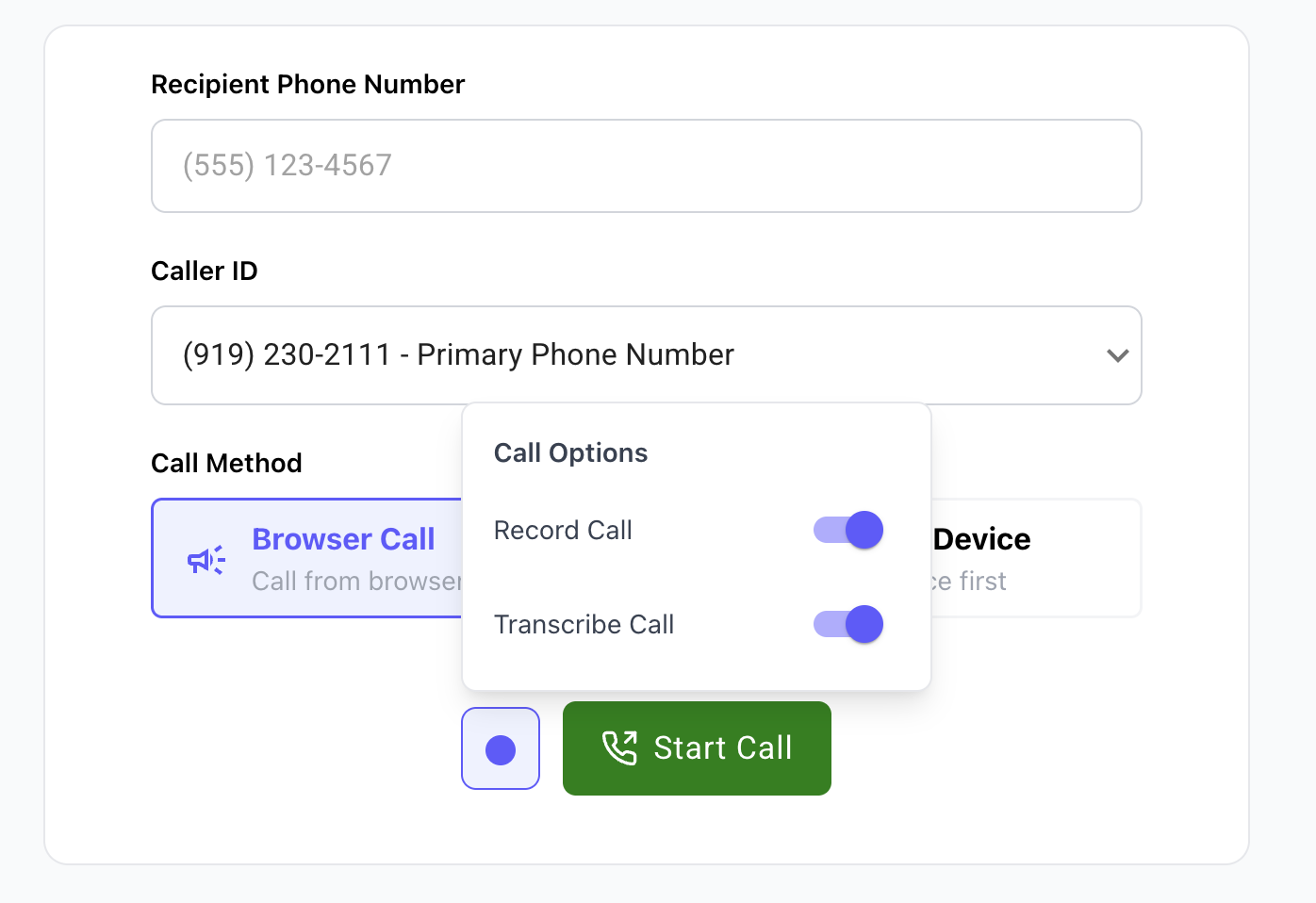
What you can choose
Next to Start call, you have two settings you can turn on or off independently:
- Record call — Enabled or disabled. When recording is off, Twilanswer does not capture audio for that outbound call.
- Transcribe call — Enabled or disabled. When transcription is on, Twilanswer transcribes the call from the recording (see below).
Which combinations you can use still depends on your organization’s policies for outbound calls—see the next section.
Organization policies
What appears on the dialer depends on recording and transcription settings for your organization. For example, if outbound recording is Disabled org-wide, you will not be able to turn recording on for a dialer call. If policies are Allowed or Required, you may have more choice or stricter defaults.
Review that article if you are unsure what your org permits for outbound calls.
Transcription requires recording. Transcripts are generated from recorded audio. You cannot enable transcription for an outbound call without recording it—there is nothing to transcribe if there is no recording.
Compliance: You are responsible for complying with recording and transcription laws that apply to you, the people you call, and your jurisdiction (including consent rules, notice requirements, and how you store or share recordings and transcripts). Twilanswer does not assume liability for your compliance decisions. Twilanswer provides controls to help you align with your policies; it does not provide legal advice.
Fair use and plan limits
Transcription is subject to fair use limits that can vary by plan. For current allowances and any caps, see the Pricing page and your in-product or billing details—limits may change over time.