
Call Routing • 1 min read
How to Route Calls to an Audio Message in Twilanswer
Route callers to a single audio message, then hang up—ideal when you don’t offer phone support but want a clear, polite recording.
Play recording (sometimes labeled play message) is a call action that plays an audio clip to the caller and then ends the call. There is no voicemail, no keypad menu, and no live agent—just your message and a disconnect.
Use it when you need a number that should not go unanswered in silence, but you do not want to staff the line or collect messages on that route. A typical pattern is to point people to email, chat, or your website instead of phone support.
For where this fits in the route builder, see How to Configure Call Routes.
Behavior
When this action is triggered:
- Twilanswer plays the recording you selected.
- When the audio finishes, the call hangs up.
Callers cannot leave a message through this action. If you need voicemail, use send to voicemail or another action instead.
Example message
You might record something like:
“Thanks for calling. We’re glad to help by email or through our website—we aren’t able to offer phone support on this line. We appreciate your understanding. Goodbye.”
Tune the wording to your brand, hours, and channels you want to promote.
How to set it up
- Open the call route for your incoming number.
- Under call action, choose play recording / play message (wording in the product may vary).
- Pick the recording to play.
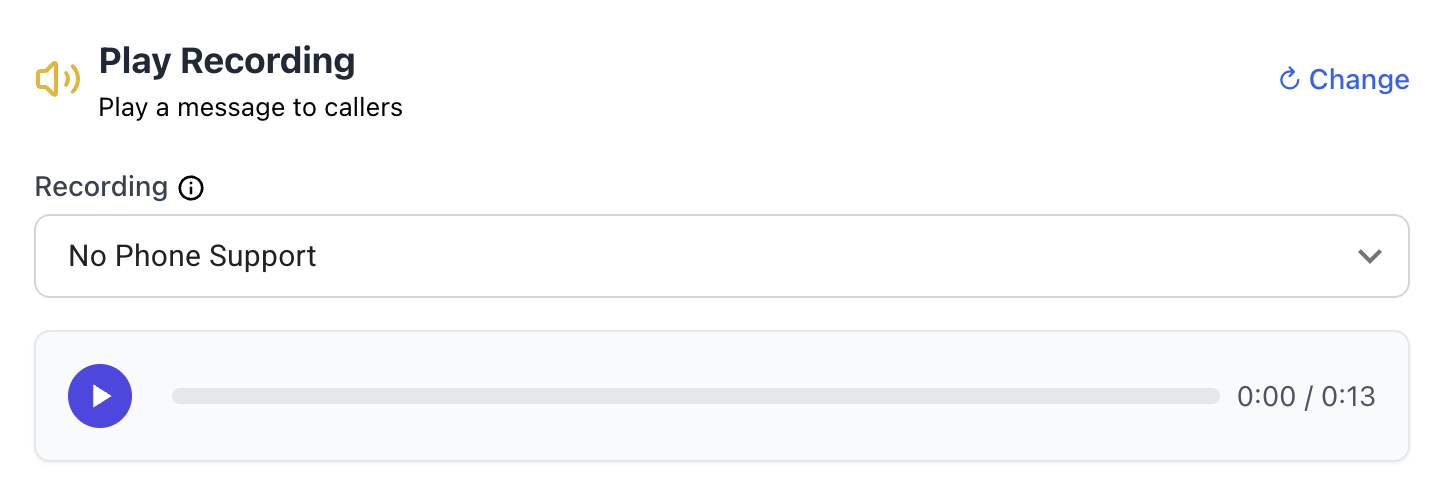
Add or manage recordings under Recordings in Twilanswer, or see How to Create a Live Recording in Twilanswer and How to Upload a Recording in Twilanswer.