
Getting Started • 2 min read
How to Integrate Twilio with Twilanswer
You can connect Twilio to Twilanswer or change the Twilio account connected to your Twilanswer account in a few steps.
Prerequisites
Before integrating Twilio with Twilanswer, ensure you meet the following requirements:
- You must have a Twilio account with at least one phone number.
- If you do not have a Twilio account, see How to Create a Twilio Account.
- If you do not have a Twilio phone number, see How to Buy a Twilio Number.
Step 1: Retrieve Your Twilio Account Credentials
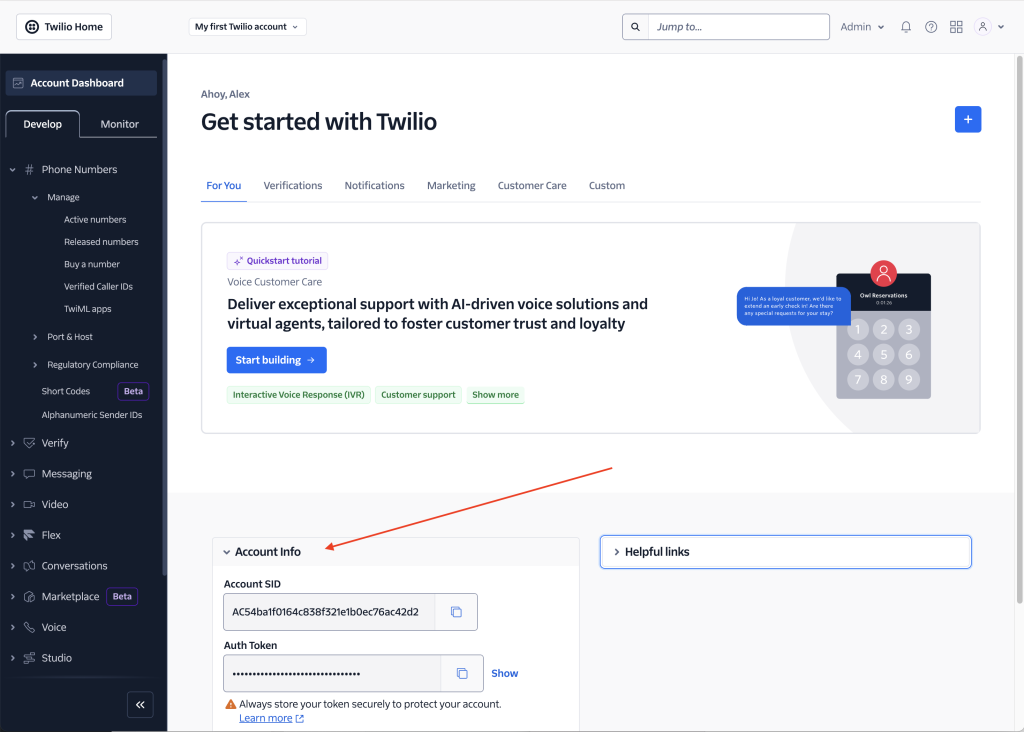
- Go to the Twilio Console:
- Locate the Account Info section.
- Copy the Account SID and Auth Token.
!
⚠️ Important: Keep these values secure. Twilanswer encrypts your token for protection.
Step 2: Enter Your Twilio Credentials into Twilanswer
Option A: During Initial Setup
- If you are setting up Twilanswer for the first time, you will be prompted to enter your Twilio Account SID and Auth Token during signup.
- For guidance, see How to Create a Twilanswer Account.
Option B: Updating an Existing Twilanswer Account
- If you already have a Twilanswer account and want to link it to a different Twilio account (or update your credentials):
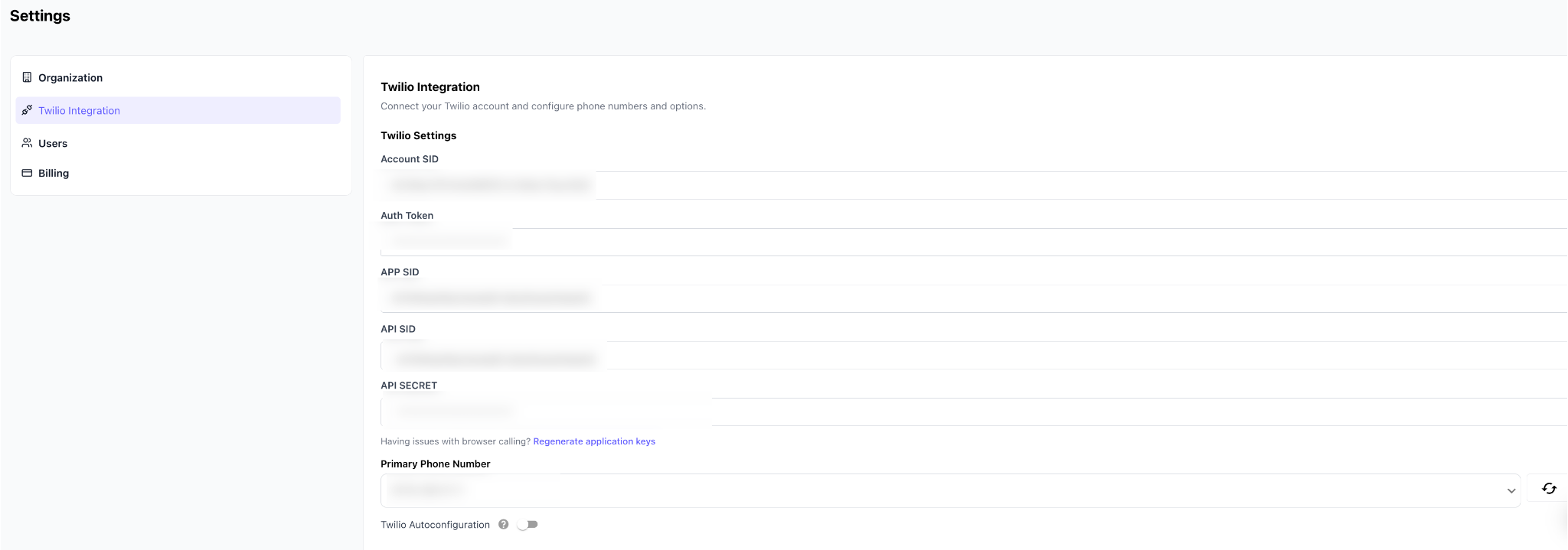
- In the Twilanswer app, open Settings, then open Twilio.
- Paste your Account SID and Auth Token copied from Step 1.
Step 3: Refresh and Select a Primary Number
- Click the Refresh Numbers button to retrieve your updated list of phone numbers.
- Select a new primary number to ensure correct functionality.
- If this step is skipped, you may experience issues using the Twilanswer Dialer.
Step 4: Save Your Changes
- Click Save Changes to finalize your integration.
Important Note on Updating Call Routes
!
⚠️ Warning: If you switch Twilio accounts, any existing call routes linked to your old Twilio account will remain in Twilanswer, but those routes will no longer function unless they are updated with numbers from your new Twilio account. Be sure to update your call routes accordingly.
For more details on updating call routes, see Managing Call Routes.