
Recordings • 2 min read
How to Create a Live Recording in Twilanswer
Record audio in Twilanswer with your mic, review playback, and save it for call routes or greetings. Name it, use Record Live, then stop, listen, and save.
Steps to create a live recording
-
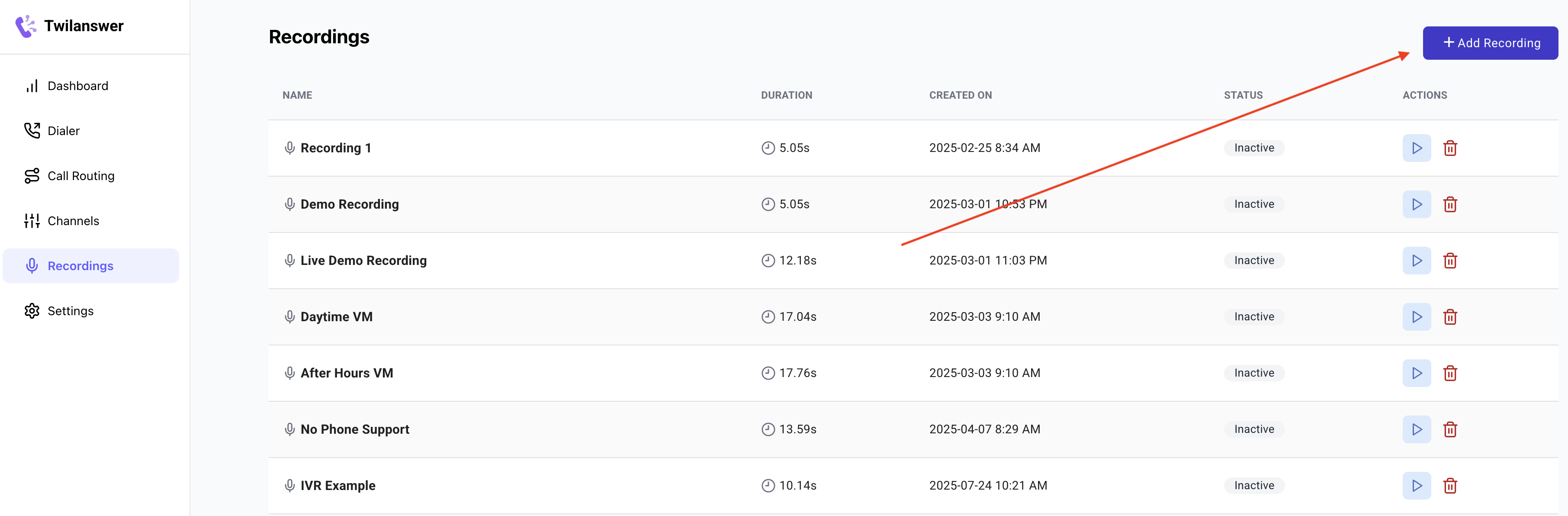
Open Recordings
- From the Twilanswer dashboard, choose Recordings in the sidebar.
-
Start adding a recording
- Click Add recording (or Add Recording).
- Name the recording
- Enter a name that reminds you what the clip is for (e.g. voicemail greeting, daytime voicemail, after-hours message, or call greeting). This label is only for your team; callers hear the audio, not the name.
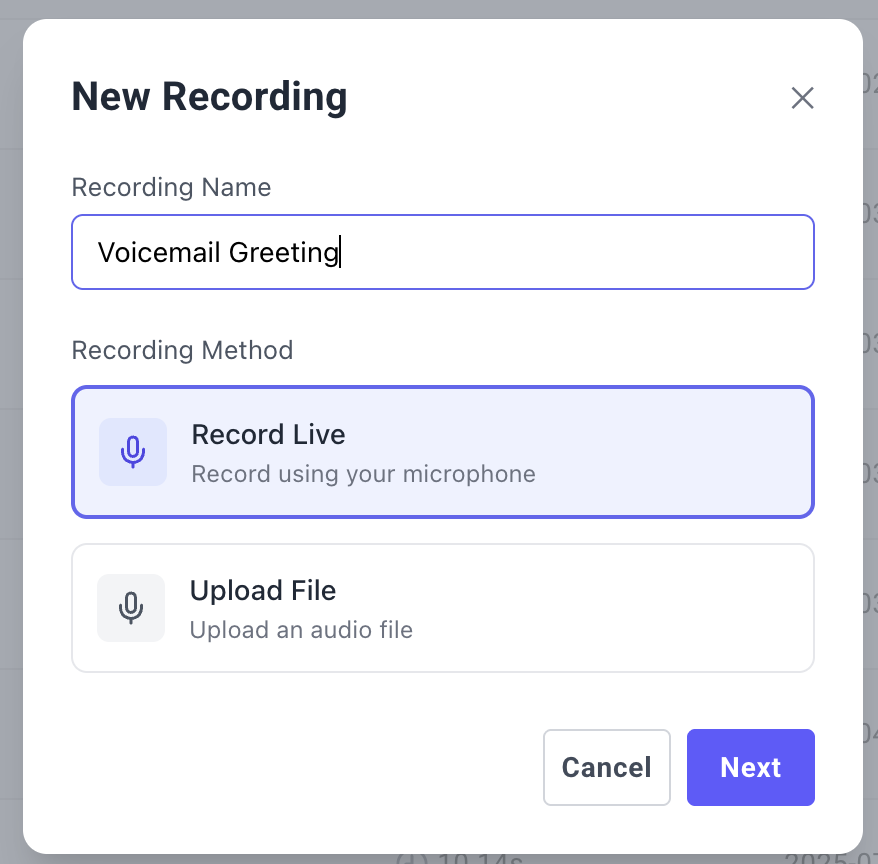
- Choose Record Live and continue
- Select Record live (or Record Live).
- Click Next.
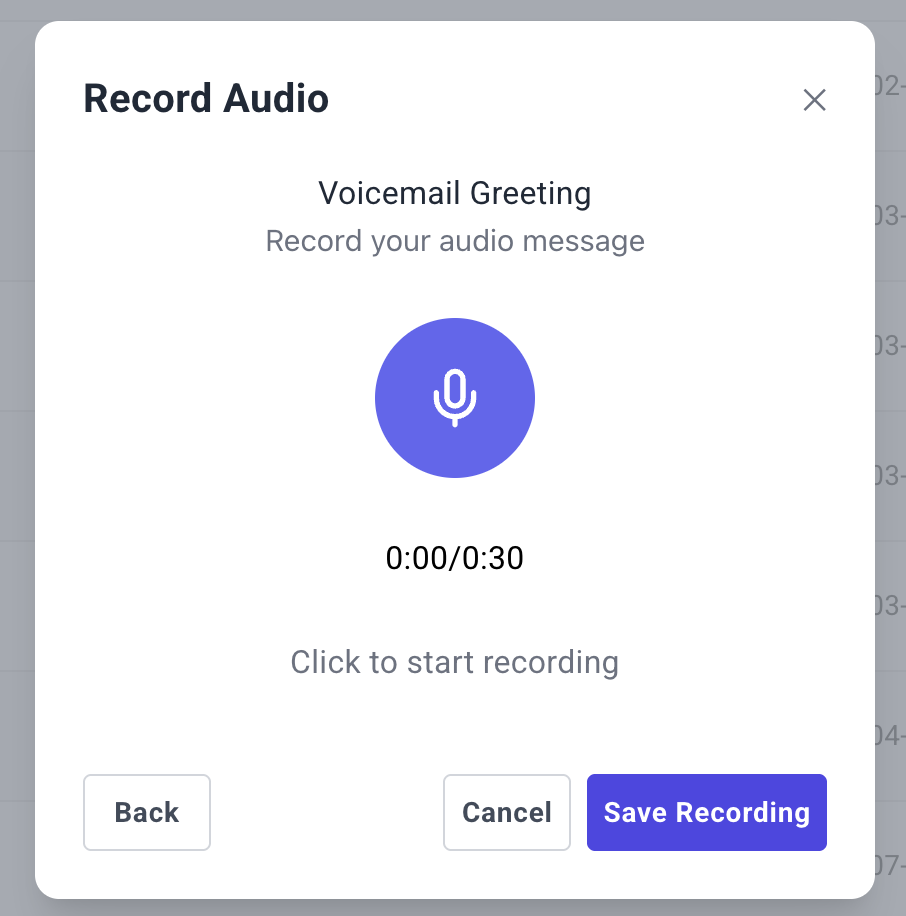
- Record with your microphone
- Click the microphone control to start recording. If the browser asks for microphone permission, allow it—Twilanswer captures what you say directly on your computer.
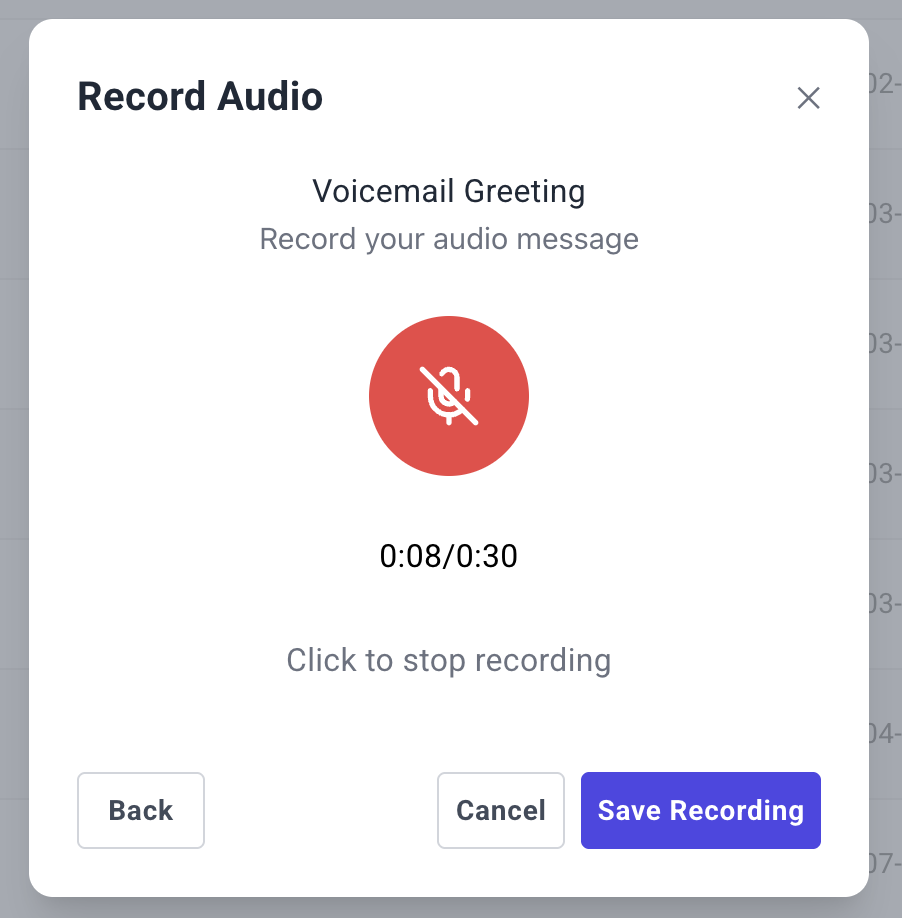
- You can record for up to 30 seconds; a counter shows how long you have been recording.
-
Stop
- When you are finished, click Stop recording (or Stop Recording).
-
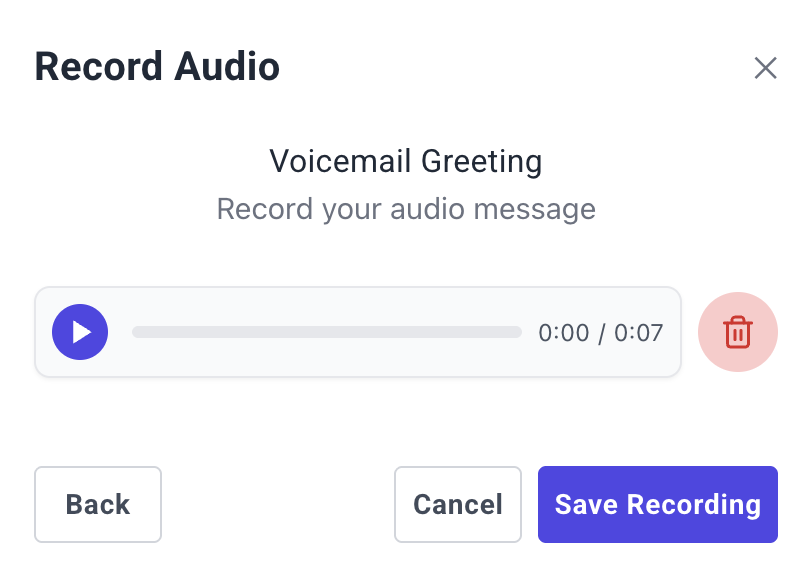
Listen back, then delete or save
- Twilanswer plays your clip back so you can review it.
- Click Delete (or the trash/delete control) to discard and record again, or save to keep it in your library.
Using the recording in call routes
Now that your recording is saved, you can add it to call routes. See How to Configure Call Routes for more details.
Important notes about recordings
- There is no limit on how many recordings you may have, but Twilanswer may remove unused recordings if storage becomes an issue. We will make our best effort to contact you before any deletions.
- Recordings are stored in a publicly accessible fashion to be played for inbound callers. Do not upload or record any sensitive information.
- When you save a recording, Twilanswer converts it so Twilio can play it on a live phone call. That follows Twilio’s
<Play>guidance: phone audio is transcoded for the telephone network, and high-bitrate files can take longer to process and may sound worse than a telephone-oriented file. The clip callers hear (and dashboard playback after save) can sound narrower or less studio-like than the original. That is expected for phone audio.