
Add call forwarding to your Twilio number
Forward calls from the Twilio number you already own — without writing TwiML, building Studio flows, or hosting anything yourself.
Free trial. No credit card required.
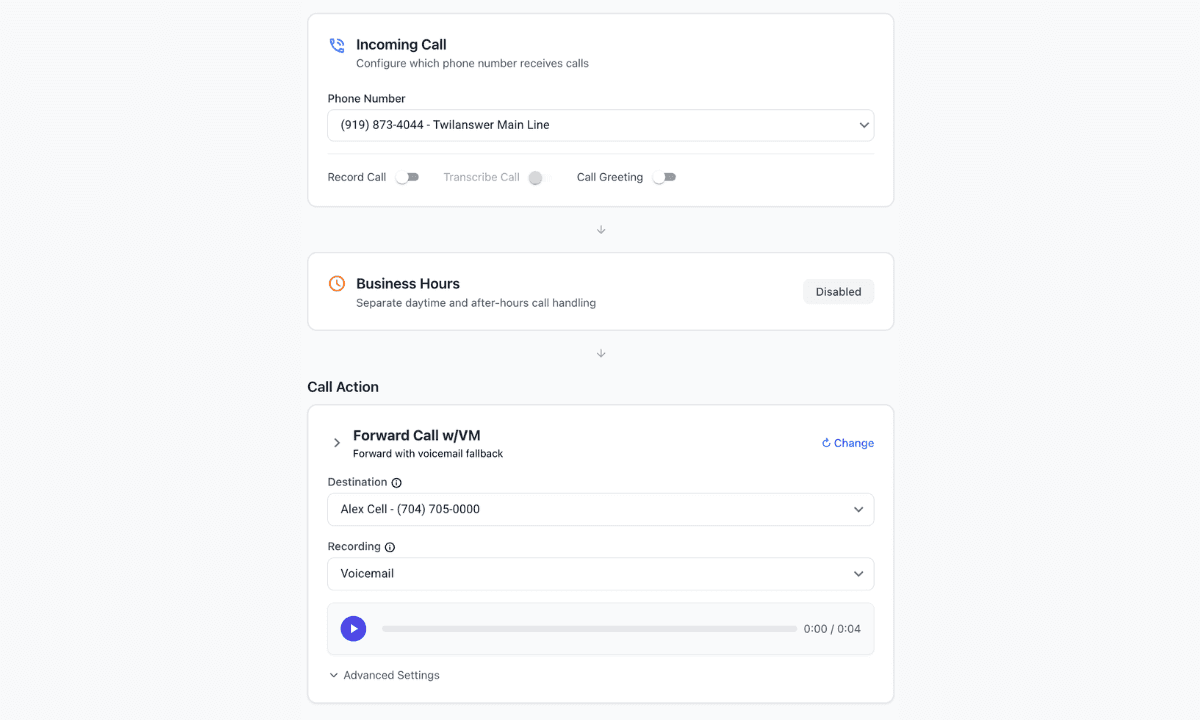
Everything you need for Twilio call forwarding
Forward to any phone
Send inbound calls to a cell, desk phone, or teammate. Add and verify the destination in Twilanswer, then pick it on the route.
Time-based routing
Set business hours on the route so daytime and after-hours calls can go to different places.
Call recording and transcription
Record and transcribe the live conversation on the route, within your org’s recording policy.
Voicemail fallback
If the forwarded phone isn’t answered, the caller can land in Twilanswer voicemail instead of that phone’s personal mailbox.
How it works
- 01
Connect your Twilio account
Link the Twilio account you already use. You keep the number and the billing.
- 02
Add a forwarding number
Enter and verify the phone that should ring — your cell, a teammate, or an office line.
- 03
Choose forward on your route
Point your Twilio number at a route and set the action to forward, or forward with voicemail fallback.
- 04
You're live
Inbound calls ring that phone. Unanswered calls can fall back to Twilanswer voicemail if you turned that on.
Can I build call forwarding directly in Twilio?
Absolutely. Twilio can dial another number with TwiML, Studio, or Functions. You still have to host the webhook, handle no-answer, decide what happens to voicemail, and keep caller ID and failover working.
Twilanswer gives you the finished interface on top of the Twilio number you already own, so you don't have to build and maintain that layer yourself.
Need more than call forwarding?
Add call forwarding to your Twilio number
Set up on the number you already own. Free trial, no credit card required.