
Add recording and transcription to your Twilio calls
Record and transcribe calls on the Twilio number you already own — without writing TwiML, handling recording callbacks, or hosting anything yourself.
Free trial. No credit card required.
Everything you need for Twilio recording and transcription
Call recording
Turn recording on for inbound routes and outbound dialer calls, or set an org-wide policy.
Transcription and diarization
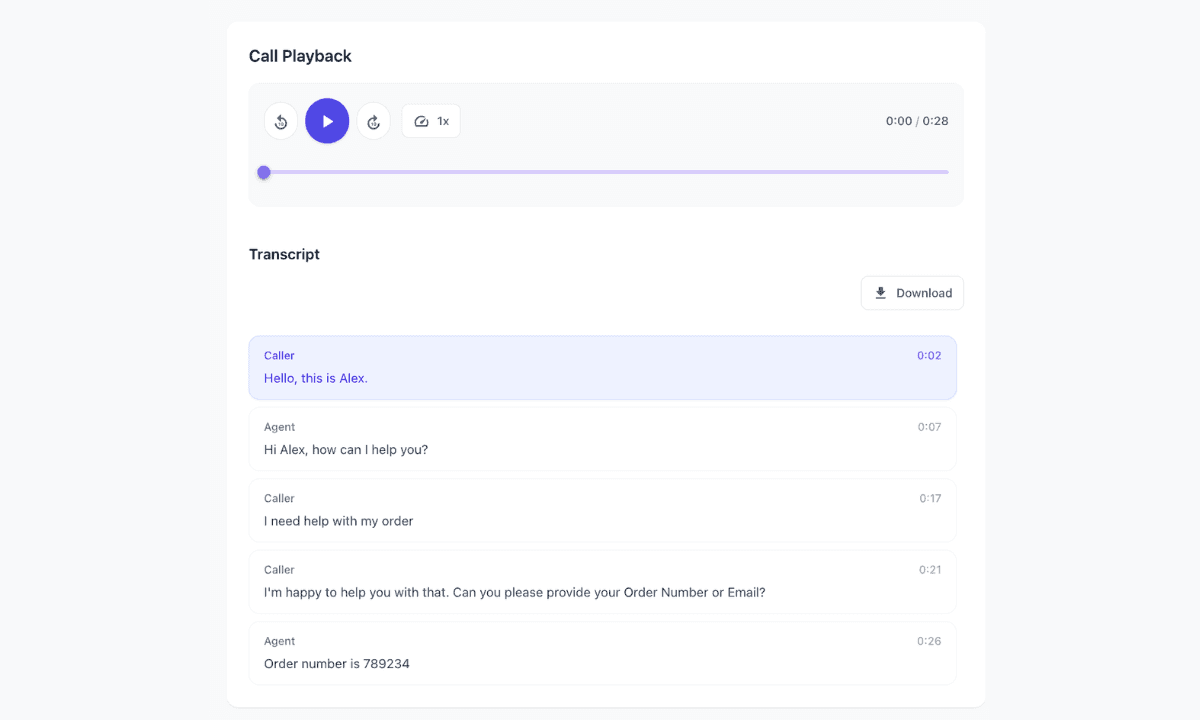
Get a transcript of the conversation, with speaker labels so you can see who said what.
Consent greetings
Play a recording before the rest of the route runs, so callers can be told the call may be recorded.
Easy playback
Open the call in Twilanswer to play the audio and read the transcript — no hunting through Twilio recordings.
How it works
- 01
Connect your Twilio account
Link the Twilio account you already use. You keep the number and the billing.
- 02
Set your recording policy
In settings, choose whether inbound and outbound recording/transcription are disabled, allowed, or required.
- 03
Turn it on for a route or call
Enable it on an inbound route, optionally add a consent greeting, or toggle it on an outbound call.
- 04
You're live
Calls are recorded and transcribed according to those rules. Play them back in Twilanswer.
Can I build recording and transcription directly in Twilio?
Absolutely. Twilio can record calls and return transcriptions through TwiML and callbacks. You still have to store the files, show playback, handle consent, and keep that pipeline online.
Twilanswer gives you the finished interface on top of the Twilio number you already own, so you don't have to build and maintain that layer yourself.
Need more than recording and transcription?
Add recording and transcription to your Twilio calls
Set up on the number you already own. Free trial, no credit card required.