
Add outbound calling to your Twilio number
Place outbound calls from the Twilio number you already own — without writing TwiML, building a dialer, or hosting anything yourself.
Free trial. No credit card required.
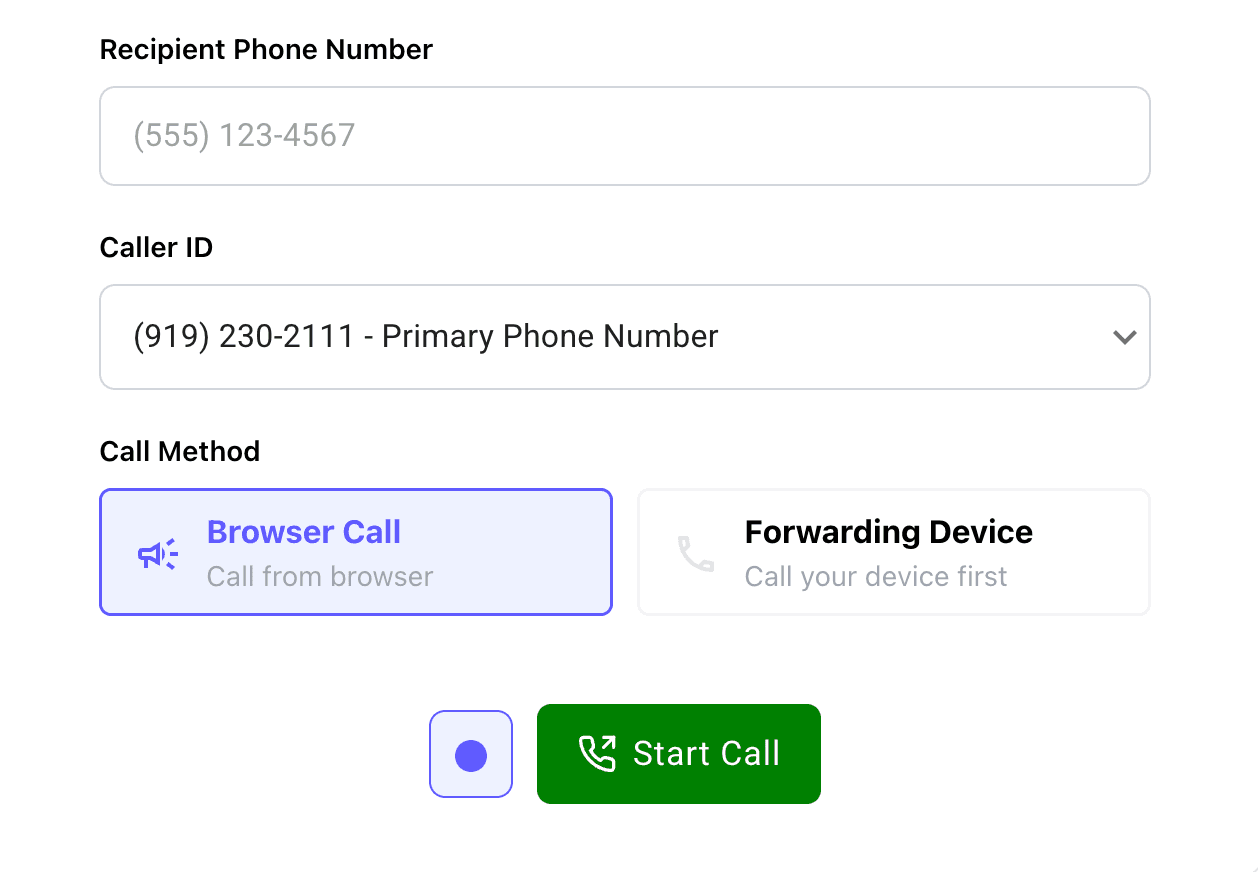
Everything you need for Twilio outbound calling
Dial from your browser
Open the Dialer and talk through your computer. You can also ring a forwarding device if you’d rather use a handset.
Pick your caller ID
Choose which Twilio number the recipient sees before you start the call.
Call recording and transcription
Turn recording and transcription on or off per outbound call, within your org policy.
Call logging
Every outbound call is stored in Twilanswer so you can go back to who you called, when, and what was said.
How it works
- 01
Connect your Twilio account
Link the Twilio account you already use. You keep the number and the billing.
- 02
Open the Dialer
It’s in the sidebar once you’re in Twilanswer. No extra Voice SDK or client app to build.
- 03
Enter the number and pick your caller ID
Choose the recipient and which Twilio number they should see.
- 04
You're live
Click to call in the browser (or on a forwarding device). Optionally record and transcribe before you start.
Can I build outbound calling directly in Twilio?
Absolutely. Twilio provides Voice, the Voice SDK, and TwiML to place outbound calls yourself. You still have to build a dialer, manage identity and caller ID, and handle recording callbacks if you want a log.
Twilanswer gives you the finished interface on top of the Twilio number you already own, so you don't have to build and maintain that layer yourself.
Need more than outbound calling?
Add outbound calling to your Twilio number
Set up on the number you already own. Free trial, no credit card required.