
Getting Started • 1 min read
How to Purchase a Twilio Phone Number
A Twilio phone number enables routing in Twilanswer. Learn how to buy a voice-capable number to use in Twilanswer.
Buying a Twilio Number
- Navigate to Twilio’s Phone Number Management
- Go to Twilio Console.
- Click “Buy a Number”
- This option is located in the top right corner of the page.
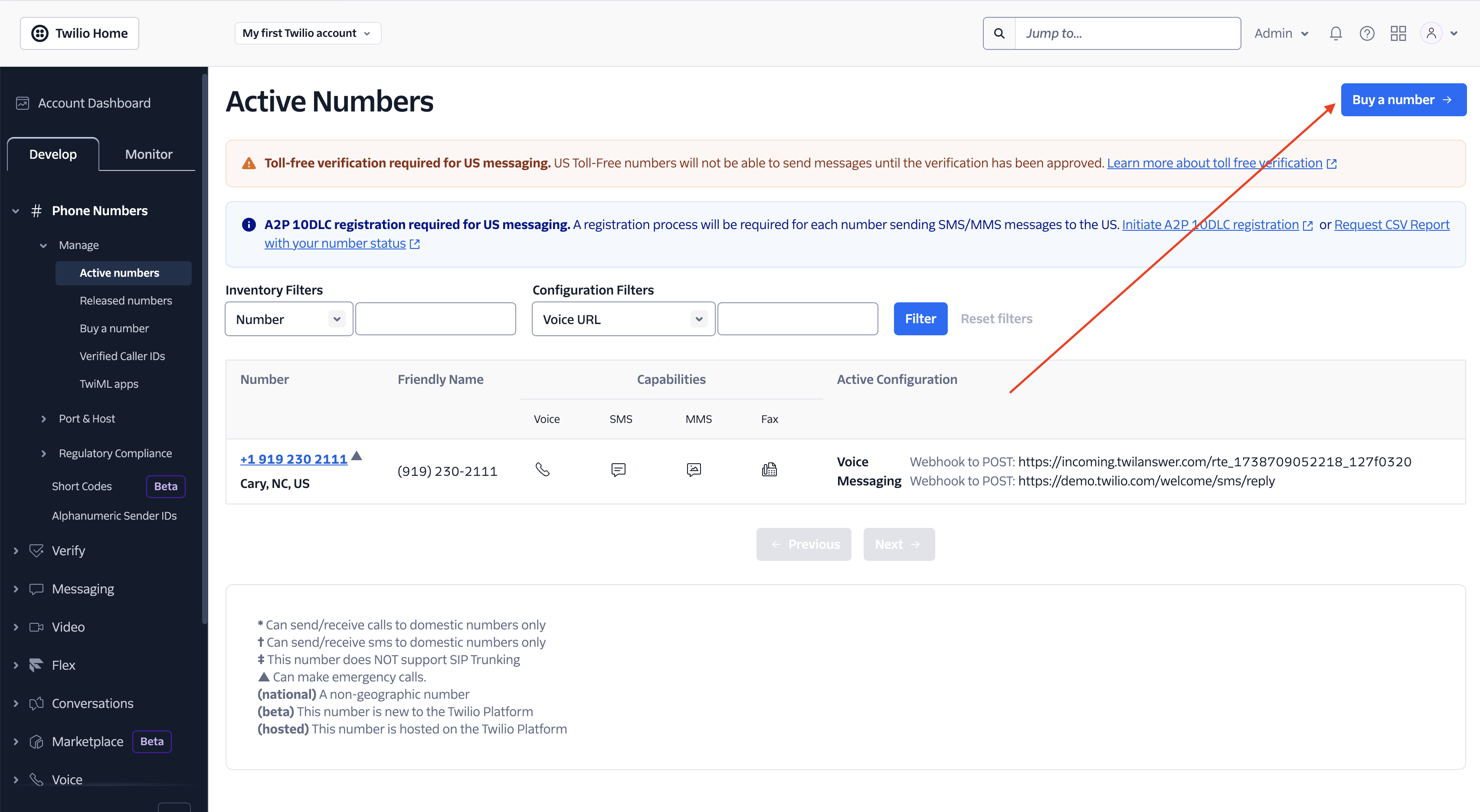
- This option is located in the top right corner of the page.
- Search for a Phone Number
- To use a number with Twilanswer, ensure it has Voice capabilities.
- You can search by:
- Country: Twilanswer works best in the United States.
- Capabilities: Select Voice to ensure compatibility with Twilanswer.
- Number Preferences:
- First part of the number: Search by area code.
- Anywhere in the number: Useful for finding a number with a brand name.
- Last part of the number: Helpful if you want a specific ending.
- Purchase the Selected Number
- Click Buy next to the number you want.
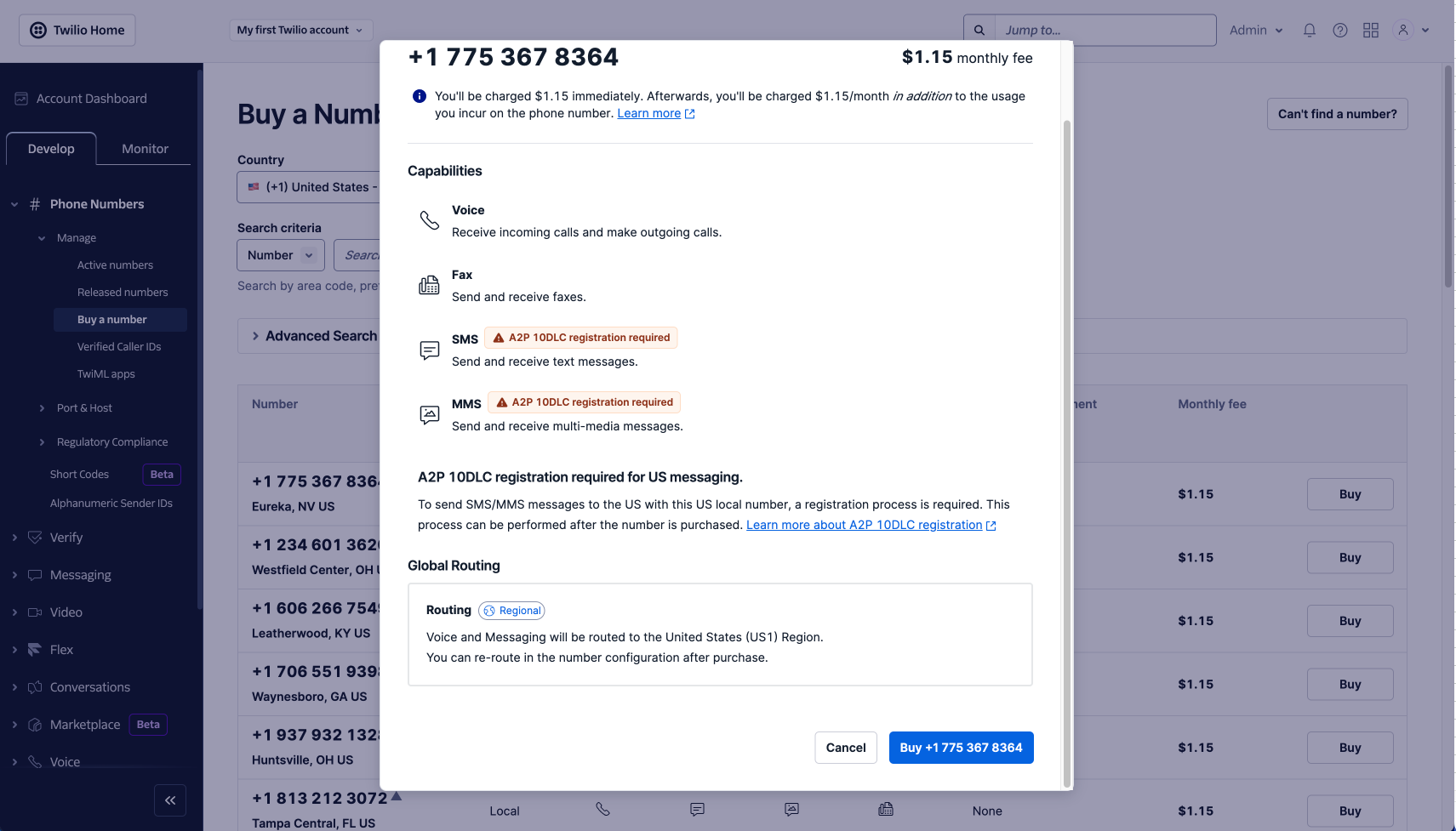
- Verify the pricing and capabilities before finalizing.
- Click Buy {Phone Number} to confirm the purchase.
- Click Buy next to the number you want.
Using Your New Number in Twilanswer
Once you purchase a number, refresh Twilanswer so the new number appears. You can assign it to call routes, the dialer, and primary number settings—for example, choose it under Incoming Call when configuring a route:
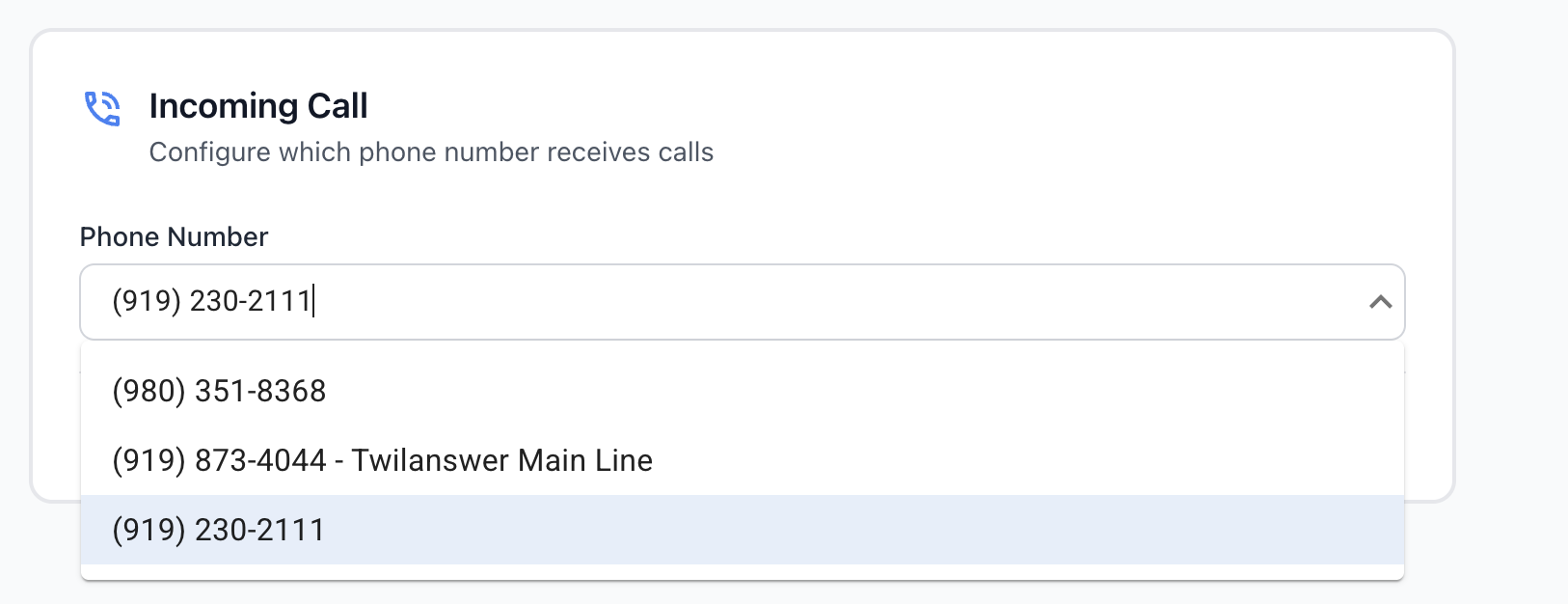
Your new number will be available for:
- Call Routing
- The Dialer
- Primary Number Selection
Important Note on Call Routing
- If you do not have Autoconfiguration enabled, you must manually point the Twilio number to your Twilanswer route.
- For more details, see How to Configure Call Routing.
Your new Twilio number is now ready to use with Twilanswer!