
Account Settings • 1 min read
How to Change the Timezone for Your Twilanswer Organization
Your org timezone controls call timestamps and call-route business hours. Change it in Settings; saving updates day/time rules.
Your organization timezone is the single clock Twilanswer uses for your whole org. Call history and timestamps are displayed in this timezone so everyone sees calls consistently. In call routes, business hours and other day/time rules are evaluated against this same timezone—so when a route decides “during hours” vs “after hours,” it uses your organization setting.
Steps to Change Your Organization’s Timezone
- Navigate to the Settings Page
- Log in to Twilanswer.
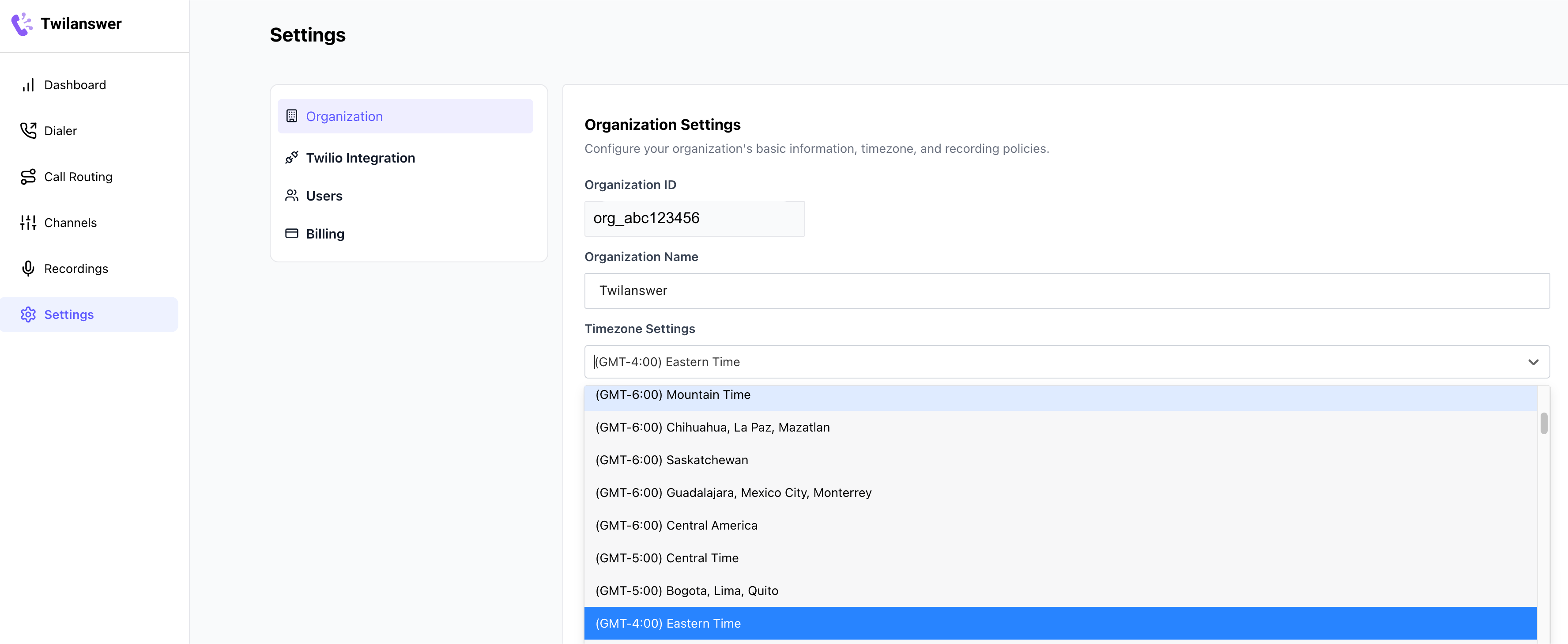
- Go to the Settings page from the sidebar.
- Update Your Timezone
- Find the Timezone setting in the organization settings section.
- Select the appropriate timezone from the dropdown list.
- Click Save to apply the changes.
Important Notes
- Changing the timezone affects all users in your organization and all call routes.
- As soon as you click Save, any day/time rules that you’ve configured will be adjusted to reflect the new timezone.