
Call Routing • 1 min read
How to Delete a Call Route in Twilanswer
Deleting a call route changes what Twilio points to. Learn how to remove it and what happens afterward so routing keeps working.
Steps to Delete a Call Route
-
Navigate to the Call Routing Tab
- From the Home Page, select the Call Routing tab.
- This will display a list of your currently configured call routes.
-
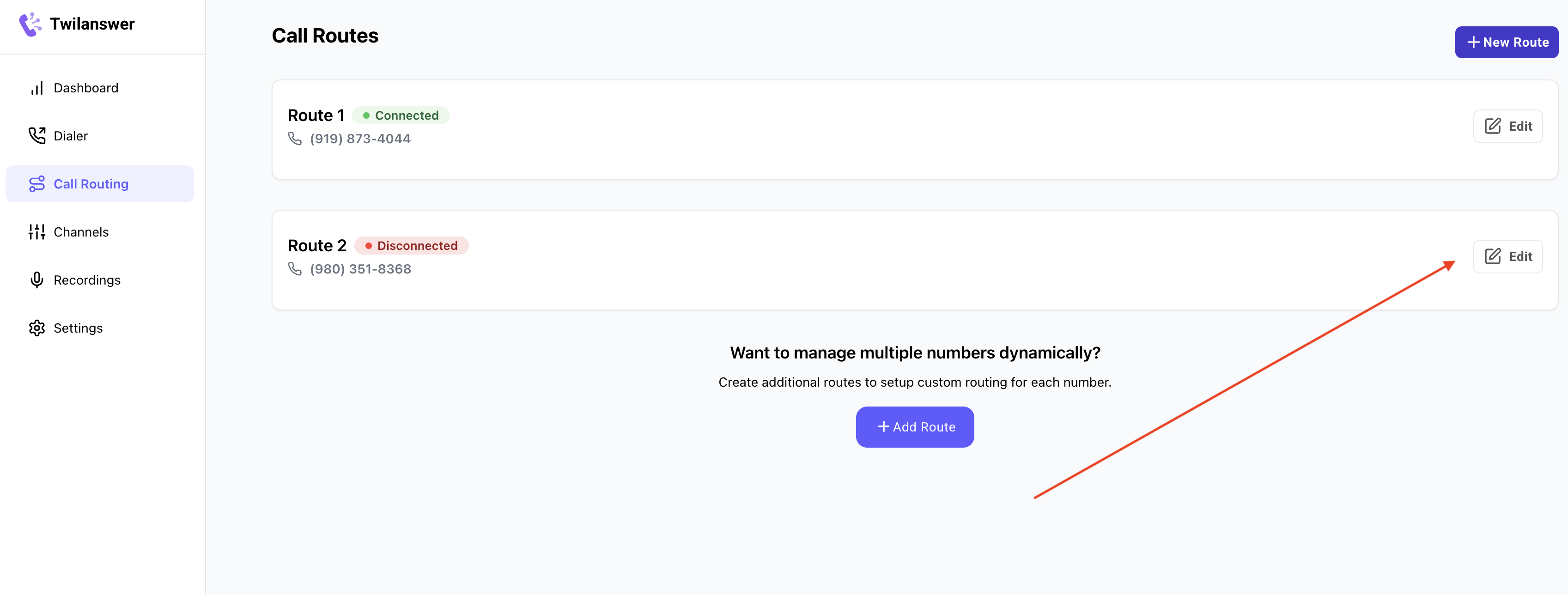
Select the Route to Delete
- Find the call route you wish to delete.
- Click the Edit button next to the selected route.
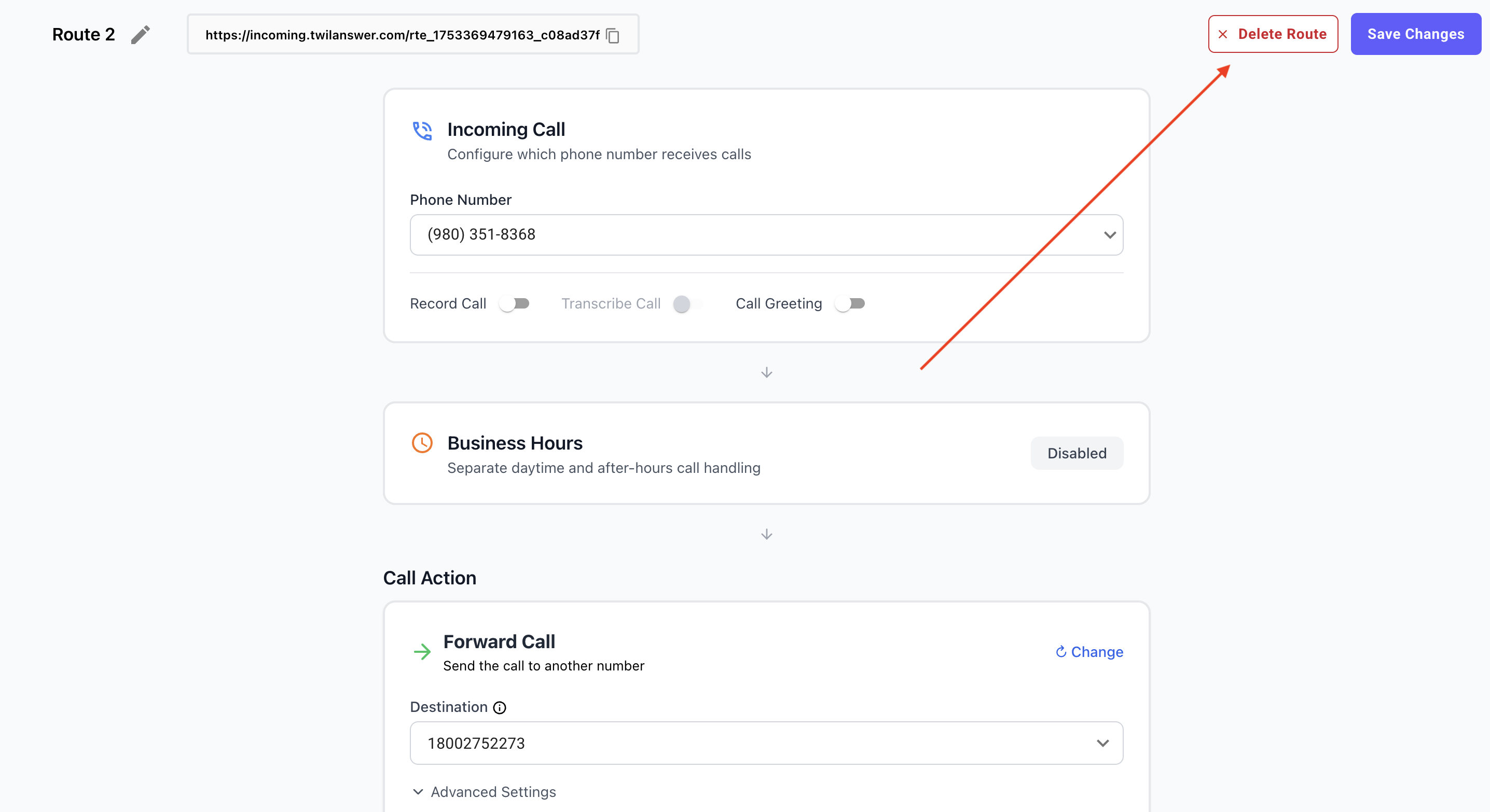
- Delete the Route
- In the top-right corner, locate the Delete Route option.
- Click this button to initiate the deletion process.
- A confirmation prompt will appear, warning that this action is permanent and cannot be undone.
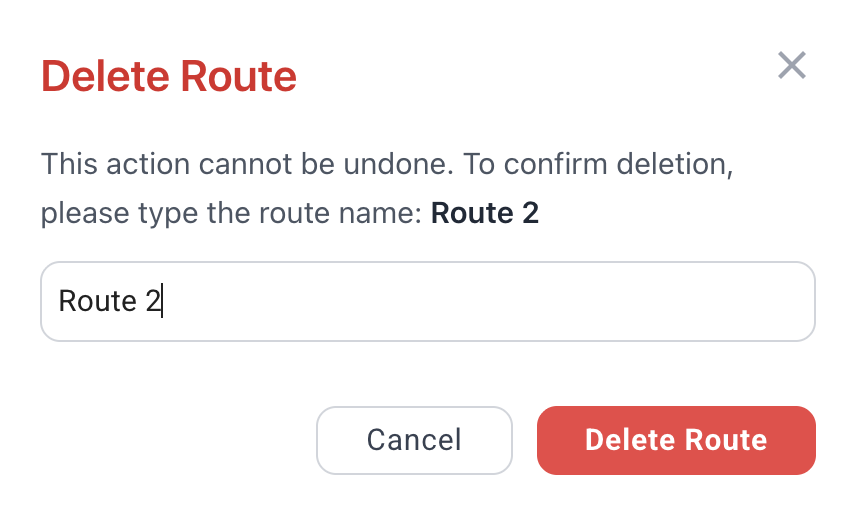
- Confirm Deletion
- To proceed, type the word “Delete” in the confirmation field.
- Click the Delete button to permanently remove the route.
What Happens After Deleting a Call Route?
Deleting a call route affects how incoming calls to the associated phone number are handled. The outcome depends on whether you have Twilio Autoconfiguration enabled inside Twilanswer.
Scenario 1: Twilio Autoconfiguration Enabled
- The Twilio number will automatically be redirected to the Twilanswer default route, which plays an error message indicating that the number is not configured.
Scenario 2: Twilio Autoconfiguration Disabled
- The Twilio account will continue pointing to the old route URL, which no longer exists.
- When someone calls the number, they will receive an error stating that the route does not exist.
For more details on Twilio Autoconfiguration, see Managing Twilio Autoconfiguration.
If you need to restore functionality for this phone number, you will have to create a new call route or update your Twilio settings accordingly.