
Account Settings • 1 min read
How to Enable Twilio Autoconfiguration in Twilanswer
Twilio Autoconfiguration syncs your Twilio voice webhook with Twilanswer call routes. Learn what it does and how to enable it.
What Does Autoconfiguration Do?
- Automatically updates the voice settings for any Twilio phone number that has a call route in Twilanswer.
- Overwrites any prior Twilio voice configurations, ensuring that calls are always routed according to your Twilanswer settings.
Steps to Enable Twilio Autoconfiguration
- Open Settings → Twilio integration
- Log in to your Twilanswer account.
- Go to Settings from the sidebar.
- Open the Twilio integration tab within Settings—this is where your Twilio connection and voice options are managed.
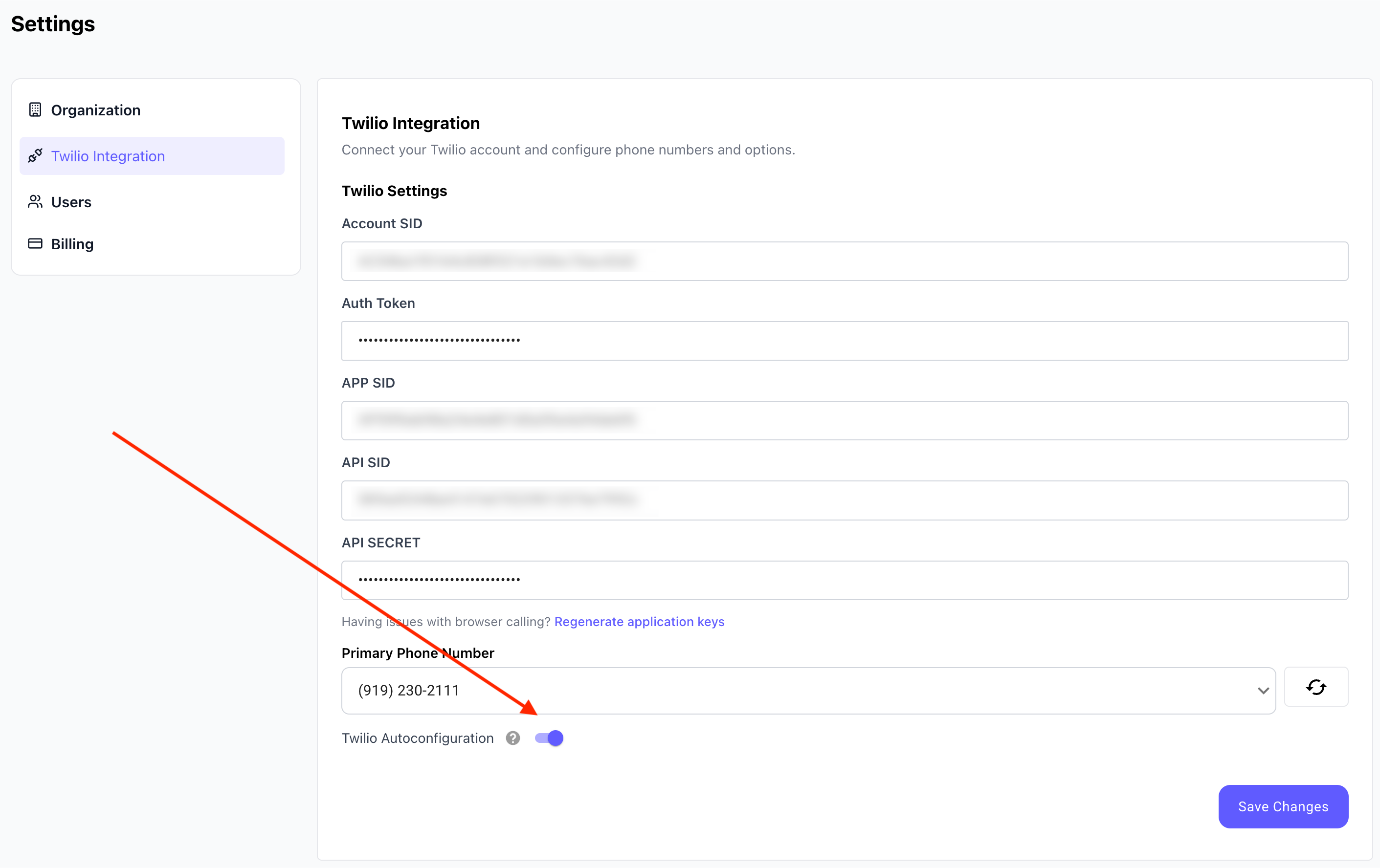
- Enable Autoconfiguration
- Locate the “Twilio Autoconfiguration” checkbox.
- Check the box to enable autoconfiguration.
- Click “Save Changes” to apply the update.
Manual Configuration Option
If you prefer to manually update your Twilio phone number settings, refer to our guide: How to Point Your Twilio Number to Your Twilanswer Route.