
Call Routing • 2 min read
How to Route Calls to Voicemail in Twilanswer
Send inbound calls straight to Twilanswer voicemail with a greeting you choose. Voicemails are saved and transcribed; notifications can alert your team.
Send to voicemail is a call action you can use when you want a line where no one answers live, but callers can still leave a message. When this action runs, the caller hears your chosen greeting recording first, then Twilanswer records their voicemail, stores it in Twilanswer, and can transcribe it according to your recording and transcription settings.
This is not the same as forwarding with voicemail fallback, where the call rings another number first and only falls back to Twilanswer if the forward is not answered. Send to voicemail sends callers directly into the voicemail flow on this route.
For the full route editor (hours, actions, notifications), see How to Configure Call Routes.
When to use it
Use send to voicemail when you want a number that does not take live calls—for example overflow lines, after-hours-only numbers, or any case where you still want voicemail without ringing a person first.
How to set it up
- Open the call route for your incoming number.
- Under call action, choose the option that sends the call to voicemail (wording in the product may vary).
- Select the recording that should play as the greeting before the caller records their message. Callers hear this audio right away when the action is triggered, then leave voicemail after the tone.
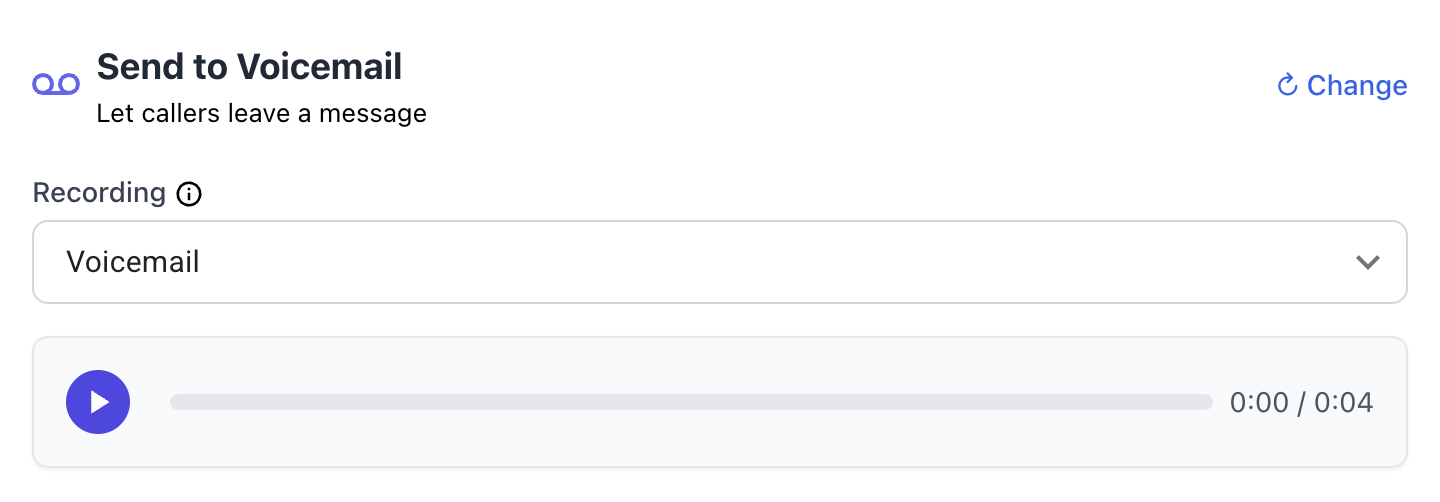
Voicemails are saved in Twilanswer and transcribed when transcription is enabled for that path (see recording and transcription on the route and organization policies).
If you configure notifications on this route, you can also get notified when a voicemail is processed, so your team sees new messages through the channels you use (email, SMS, Front, Slack, and so on).
To create or upload audio used as the greeting, see How to Create a Live Recording in Twilanswer and How to Upload a Recording in Twilanswer. For context on Twilio voicemail approaches and when a hosted layer helps, see how to set up voicemail in Twilio.